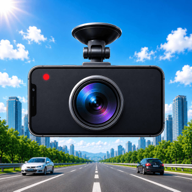
How to Turn an Old Phone into a Dedicated Dashcam
Step-by-step guide to repurposing an old smartphone into a permanent car dashcam. Windshield mounting, thermal safety, power routing, and settings.
1. Why That Drawer-Spare Phone Is the Ultimate Dashcam
Most households have an older smartphone sitting in a desk drawer — an iPhone 11, Galaxy S10, or Pixel 5 that still functions perfectly. Repurposing it as a dedicated, permanently mounted vehicle camera keeps your primary phone free while saving you hundreds of dollars on standalone hardware.
With high-resolution 4K/1080p sensors, fast internal flash storage, and built-in GPS receivers, older phones outperform cheap $50 dashboard cameras in every measurable metric.
2. Step 1: Wipe and Prepare the Device
Before mounting the phone in your vehicle, optimize it for dedicated recording duties:
- Factory reset the device: Removes unnecessary background services, notifications, and battery drains.
- Enable Airplane Mode: Keeps the device completely offline, eliminating background network wakeups.
- Install DriveCam: Download the app from the App Store or Google Play and grant camera, microphone, and location permissions.
- Set Screen Lock to "Never" or configure DriveCam's built-in Screen Dimmer to prevent OLED burn-in.
3. Step 2: Windshield Mounting & Cable Routing
A stable mount is crucial for crisp video. Choose a heavy-duty suction mount or a magnetic MagSafe-compatible windshield bracket.
Position the phone directly behind or beside the rearview mirror. This placement ensures an unobstructed, centered perspective of the road while complying with windshield obstruction laws in most jurisdictions.
Route a braided USB-C or Lightning cable along the headliner seam, down the rubber door weatherstripping, and under the glovebox into a 12V cigarette lighter charger (delivering at least 2.4A / 15W).
4. Step 3: Battery & Thermal Safeguards
Windshields can get hot during summer parking. Lithium batteries degrade quickly if charged continuously under direct high heat. Follow these practical safeguards:
- Do not leave the phone in direct sunlight when parked for extended periods in summer heat.
- Aim a dashboard A/C air vent slightly toward the phone mount to maintain cool airflow during daytime driving.
- DriveCam features integrated thermal throttling: if internal battery temperatures exceed safe limits, the app automatically finalizes the clip, alerts the driver, and pauses recording until safe operating temperatures return.
5. Step 4: Recommended DriveCam Settings
For a dedicated car phone setup, configure DriveCam for maximum hands-free convenience:
- Loop Segment Duration: Set to 2 minutes for the ideal balance between file size and rapid emergency export.
- Storage Allocation: Dedicate 10 GB to 20 GB — enough for several hours of continuous rolling history.
- Offline Voice Commands: Turn on "Save Clip" and "Take Photo" voice triggers so you never touch the screen while driving.
- Background Recording: Enable so the phone can record even if you toggle navigation or turn the display off.
Frequently asked questions
Can I leave the phone permanently plugged into the car?
In modern vehicles, 12V cigarette sockets automatically shut off when the ignition is switched off. If your vehicle supplies constant 12V power, unplug the adapter when parking for multiple days to avoid vehicle battery drain.
Does an old phone need a SIM card for GPS to work?
No. Smartphone GPS antennas connect directly to satellites in orbit and calculate real-time coordinates and speed completely free of charge without any SIM card or cellular subscription.