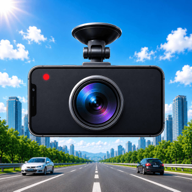
How to turn your phone into a dashcam
A short, practical setup: mount it right, set it once, and know the local rules before you record.
Good dashcam footage does not happen by accident. With the right mount, a five-minute setup and a little heat management, your phone can record reliable evidence on every drive.
- 01
Mount it right
Any modern iPhone or Android works — an old phone in a drawer is ideal, since it can stay mounted and charged in the car. Place it top-center of the windshield or on the dashboard, seeing the road ahead and never blocking your view.
- Camera with GPS enabled — it makes the footage useful
- Clear of airbags and your line of sight
- Route the charging cable away from the controls
- 02
Set up DriveCam in five minutes
Install DriveCam, open it and grant the permissions it asks for: camera, microphone, location and notifications. Then walk through these settings once — after that, recording is a single tap.
- Loop duration: 1–2 minutes keeps clips and storage manageable
- Storage limit: 2–5 GB cleans up automatically
- Turn on GPS stamping — speed and coordinates are your best evidence
- 03
Voice, stats and safety nets
Once the basics work, enable the features that make daily driving easier and safer.
- Voice control: record, lock clips and take photos hands-free
- Speed display and speed-limit alerts
- Night mode and low-battery alerts
- 04
Beat heat and battery drain
Heat is the number one killer of phone dash cams. DriveCam monitors temperature and pauses recording before damage is done — help it by keeping the phone out of direct sun and charging while recording.
- Park in shade or move the phone out of the sun
- Point an air vent at the phone on hot days
- Keep it charging while recording — GPS and camera drain fast
- 05
After an incident: lock it, report it
When something happens, your only jobs are to keep the clip and hand over the facts. DriveCam is built for both.
- Lock the clip so cleanup can never touch it
- Generate the incident report PDF with GPS, map and max speed
- Share it with your insurer or the police from the app
Check the rules where you drive
Dash cam rules differ from country to country — sometimes even between regions. Before mounting a camera, check the current regulations that apply where you drive. DriveCam is an aid, not legal advice.